Turn any PDF into flashcards you'll actually remember
Upload a PDF, slides, or notes — Memodock's AI builds your deck in seconds, and spaced repetition makes it stick.
Free · No credit card · Start without an account
Upload it. Get a deck. Start studying.
Memodock reads your material, writes the cards, and schedules your reviews. The one part it leaves to you: actually knowing the answers.
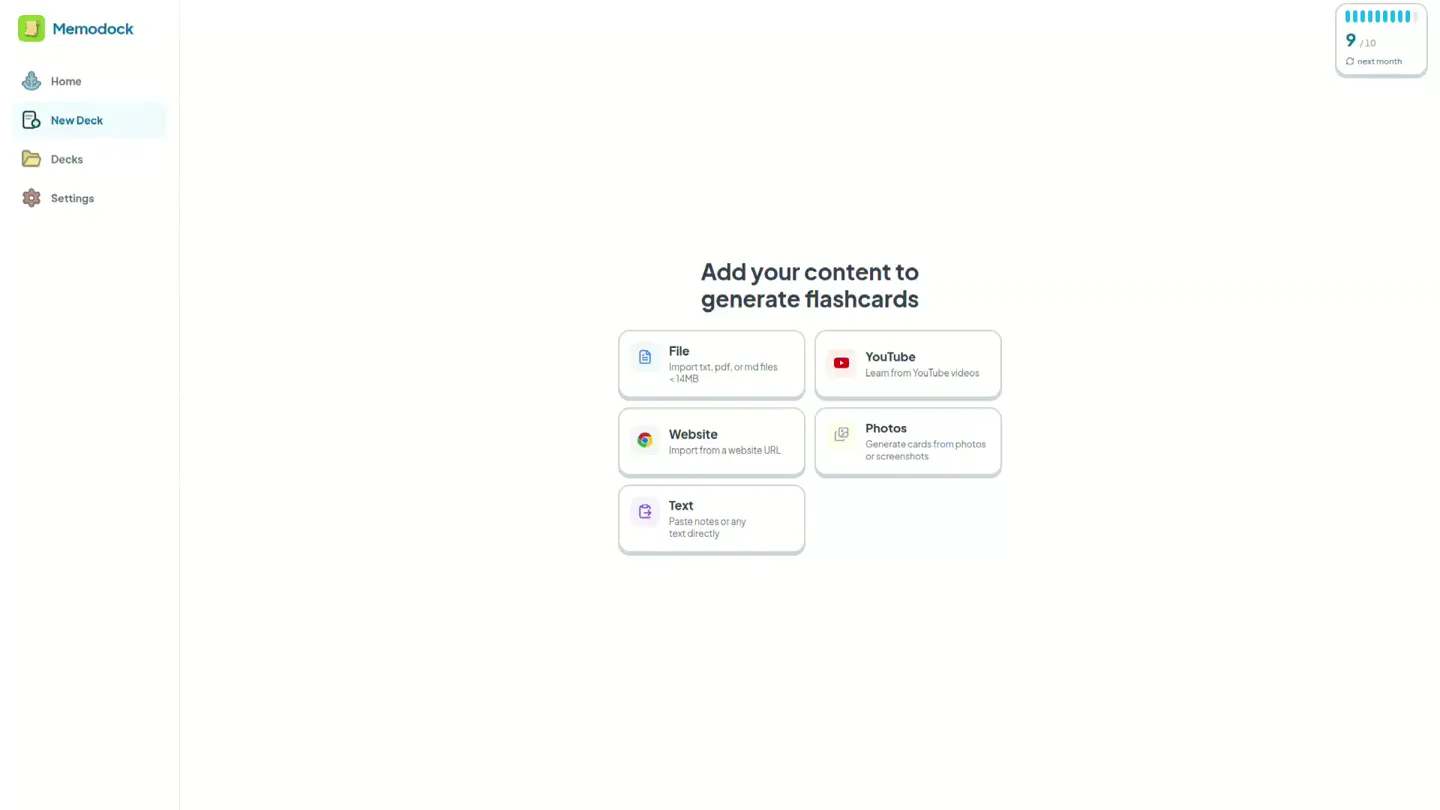
Upload your material
A PDF, lecture slides, pasted notes, a photo of your handwriting, or a YouTube link. Drop it in and Memodock reads it for you.
Get a deck in seconds
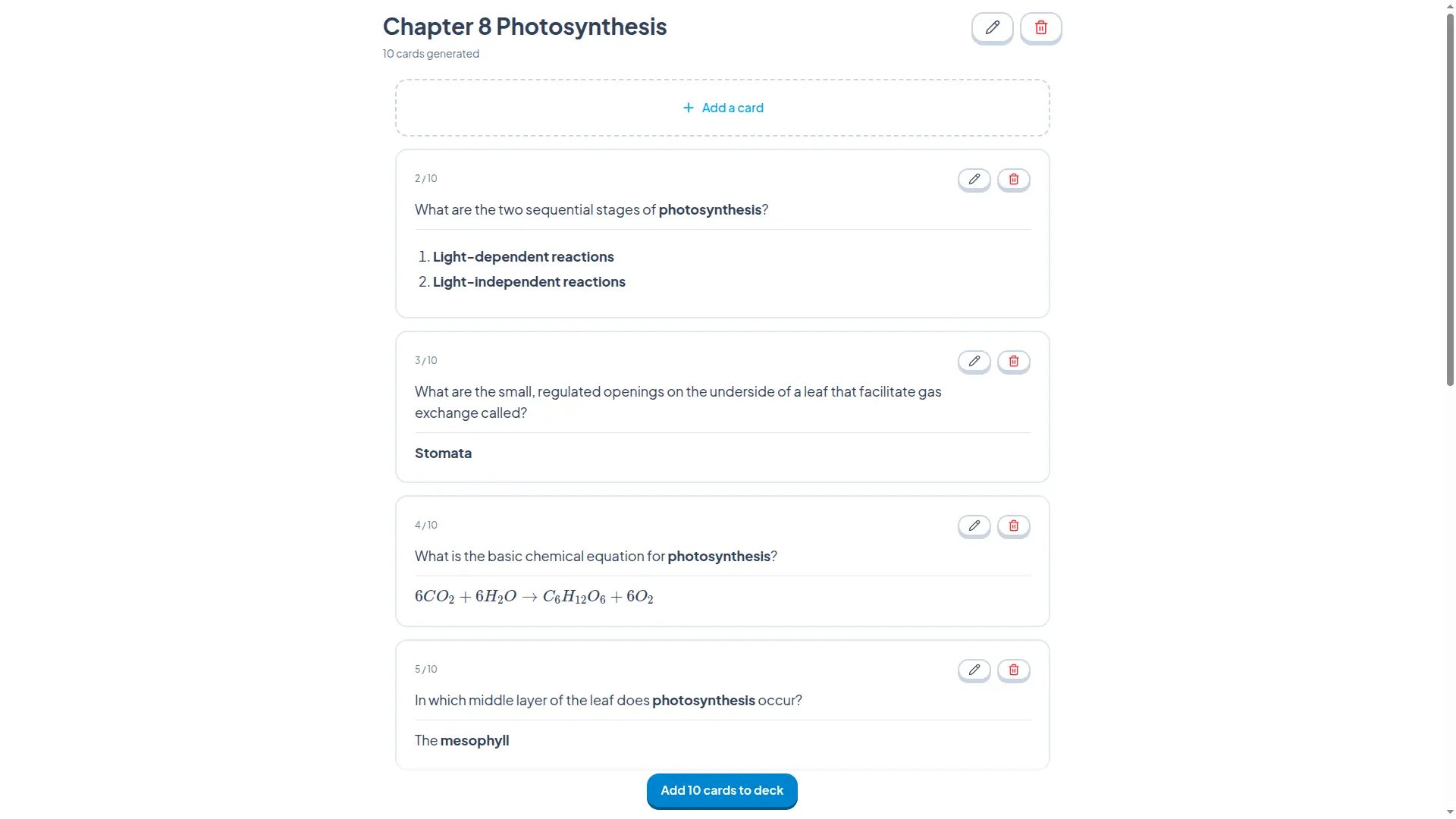
The AI writes clear question-and-answer cards from your material in seconds. Skim them, fix anything, add your own — then save the ones you want.
Study a few minutes a day
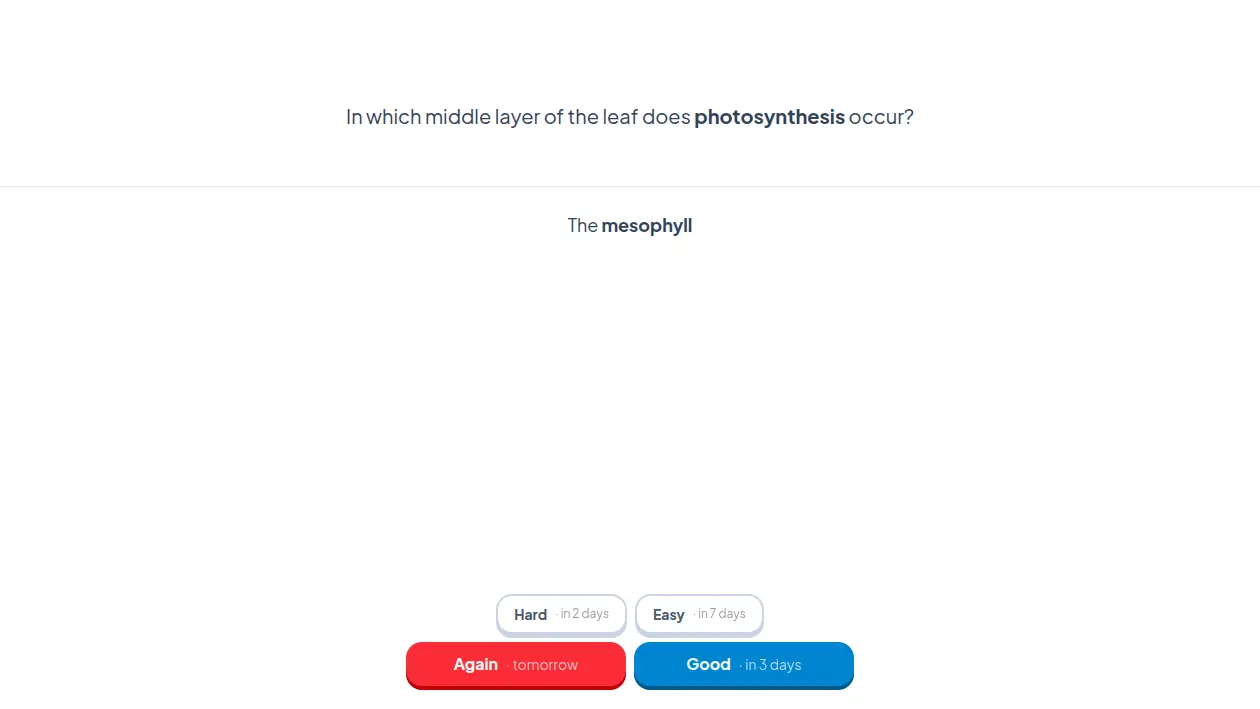
Answer Again, Hard, Good, or Easy. Memodock brings each card back right before you'd forget it, so you review less and remember more.
Built for remembering, not just for making cards
Cramming feels productive, then fades within days. Memodock schedules every card with spaced repetition, so each review lands right before you'd forget — the moment when recalling it makes the memory stick.
FSRS under the hood
The open-source algorithm behind modern spaced repetition. Every answer retunes exactly when that card should come back.
See your memory grow
Every card is tracked from fragile to durable. Your dashboard shows how much of each deck is short-term, long-term, or locked in for good.
One deck, every device
Build on your laptop, review on your phone. The web, iPhone, and Android apps stay in sync on one account.
Made for how you actually study
No plugins to hunt down and no settings to wrestle with — the tools you reach for on exam week are already here.
Math that looks right
Equations and formulas render as real notation, not broken text — so cards for STEM, medicine, and finance actually read the way your textbook does.
Turn videos into cards
Paste a lecture or a crash-course video and study it like a chapter.
Snap your handwriting
Photograph handwritten pages, screenshots, or slides and the AI turns them into cards.
Streaks that forgive
A daily streak keeps you going, and up to 3 streak freezes save it on the days life gets in the way.
Set your own pace
Start at 20 new cards a day and dial it anywhere from 5 to 100 — heavier for exam season, lighter after.
Study anywhere, stay in sync
Build decks at your desk, then clear the day's reviews on the bus. One account keeps the web, iPhone, and Android perfectly in sync.
Questions, answered
Is Memodock free?
Yes. The free plan includes 5 AI deck generations every 30 days, and studying, writing cards by hand, and editing are unlimited. No credit card needed. If you generate a lot of decks, Premium removes the generation limit.
How do I turn a PDF into flashcards?
Click "Create your first deck", upload your PDF, and the AI drafts a deck of question–answer cards from it — usually in seconds. You review every card — edit, delete, or add your own — before it joins your deck. Lecture slides, pasted notes, and YouTube links work the same way.
How is Memodock different from Anki?
Anki is powerful, but you write every card by hand and configure the scheduler yourself. Memodock generates the cards from your material and runs FSRS — the same modern spaced repetition algorithm — with zero setup. You just answer Again, Hard, Good, or Easy and the timing is handled for you.
What is spaced repetition?
A study method that schedules each review just before you're about to forget — the moment when recalling something strengthens the memory most. Instead of re-reading everything every day, you see each card only when it needs you. Memodock uses FSRS, an open-source scheduler, to pick that moment for every card automatically.
Do I need an account to start?
No. "Create your first deck" drops you straight into building your first deck — no email, no password. You only create an account at the end, so your decks and review history are saved and synced across your devices.
The next exam is coming either way
Turn today's notes into a deck now, and your future self shows up already knowing it.
Free · No credit card · Start without an account